Run a Scenario#
Once built, running a model is quite simple.
Click the
Scenariostab
Click the
Run button for the scenario you wish to run. If the button is not available you may have to
 buildthe model first.You will see the
Run Scenariodialog box.
Note
In the future, your account will have an purchased allocation of available run-time hours. For now, as we develop the product and recieve feedback from our users, this allocation is without limit. We currently host three concurrent servers for running models on a “first-come-first-served” basis.
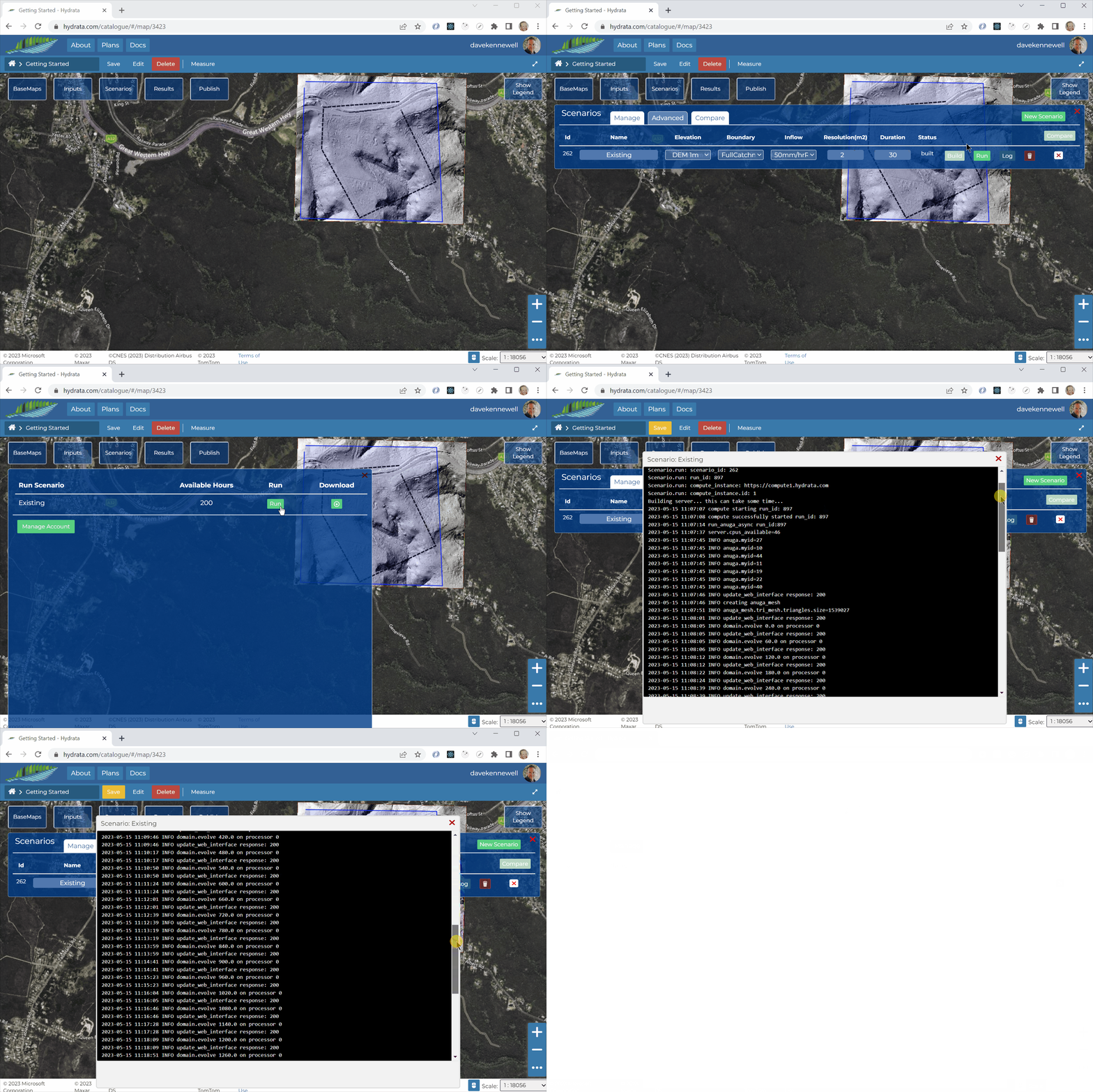
The scenario log will appear. This log shows the output as processed by the run_anuga library. You can view and contribute to the code here: https://github.com/Hydrata/run_anuga
The model run duration will vary depending on your mesh resolution and modelled duration time. The model used in this example took about 25 minutes to run and had ~1,500,000 triangles in the mesh.